
Small controls. A smoother workday.
A volume knob, one-touch calculator key and enlarged zero key keep everyday commands close to your hands.
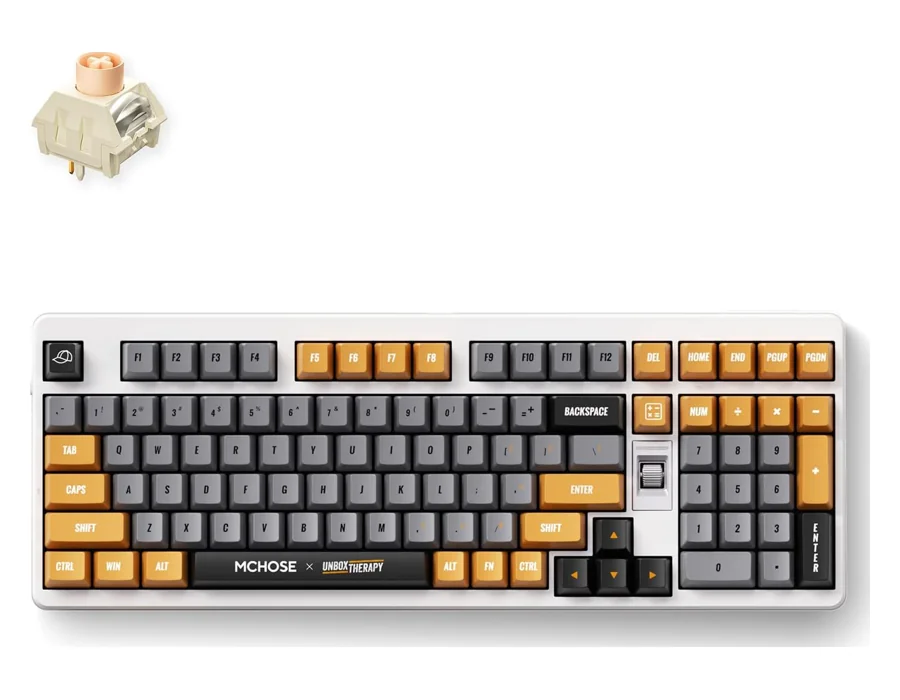
A compact keyboard with a distinctive control knob, tri-mode connectivity and a gasket structure.
Retro · Icy option
In stock
Buy on Amazon See specifications ↓Choose your final configuration and complete your purchase on Amazon.
ASIN: B0FQP36W6K
A volume knob, one-touch calculator key and enlarged zero key keep everyday commands close to your hands.
The hot-swappable PCB accepts compatible 3-pin and 5-pin mechanical switches.
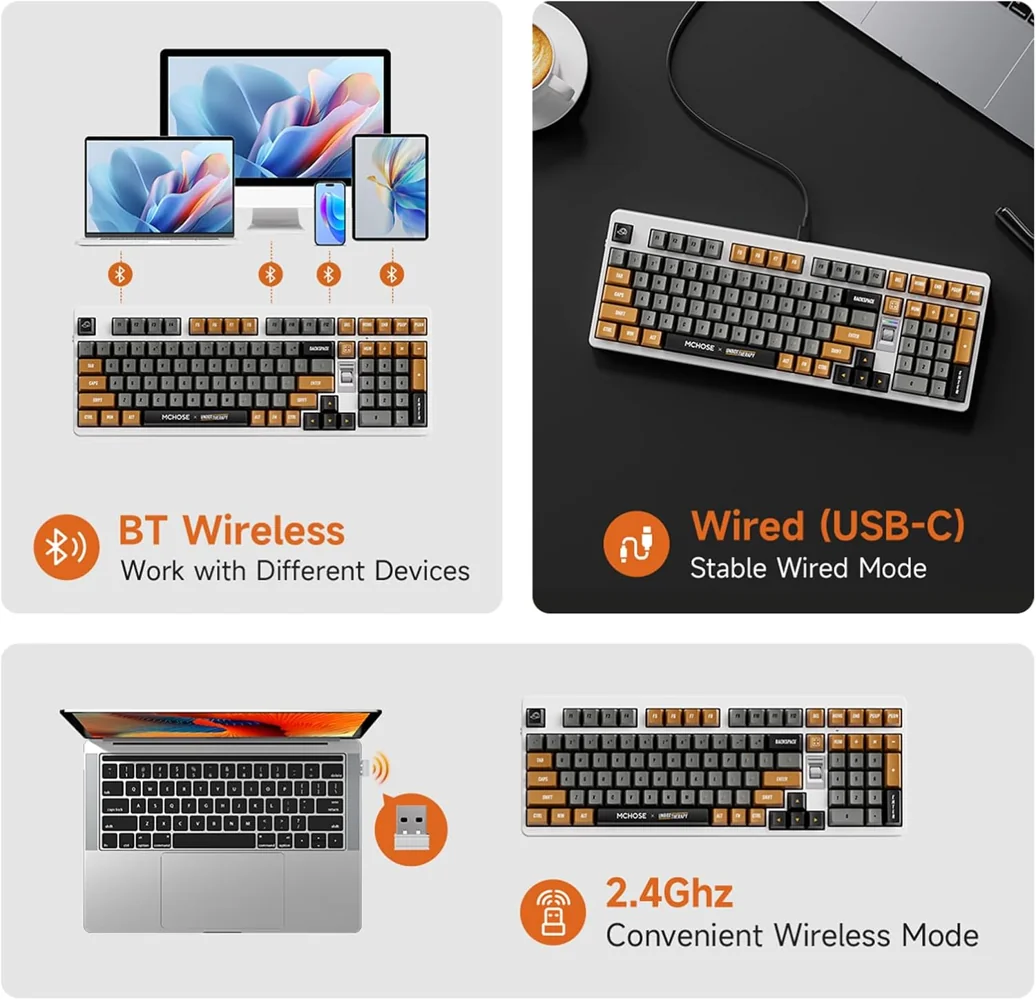
Bluetooth, 2.4GHz wireless and USB give you three connection choices.
Silent Peach V3 and Icy Creamsicle are linear switch choices with different sound characters. Match the switch option before ordering.
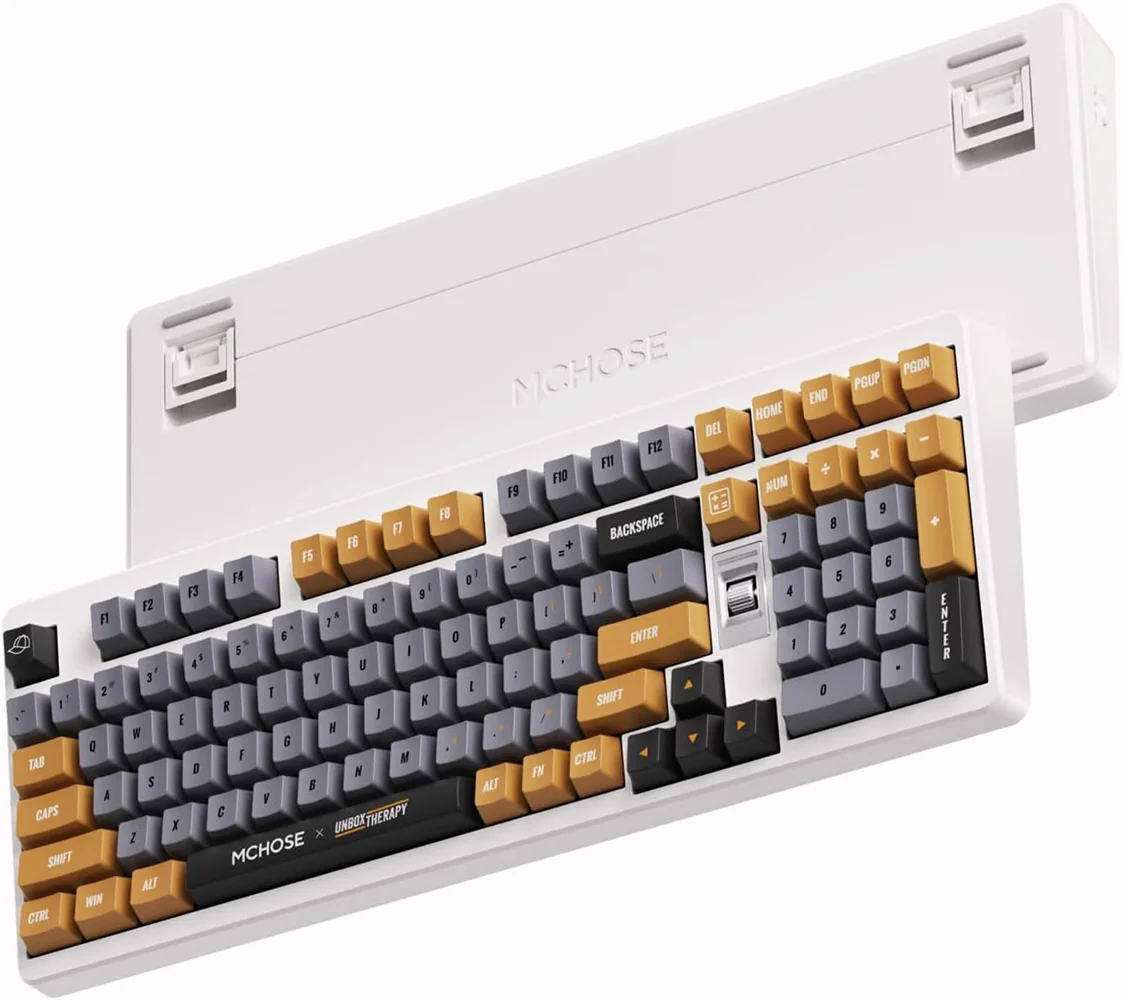
A gasket structure and five dampening layers shape the feel and sound.
RGB lighting glows around the non-shine-through keycaps rather than through the legends.
A volume knob, one-touch calculator key and enlarged zero key keep everyday commands close to your hands.
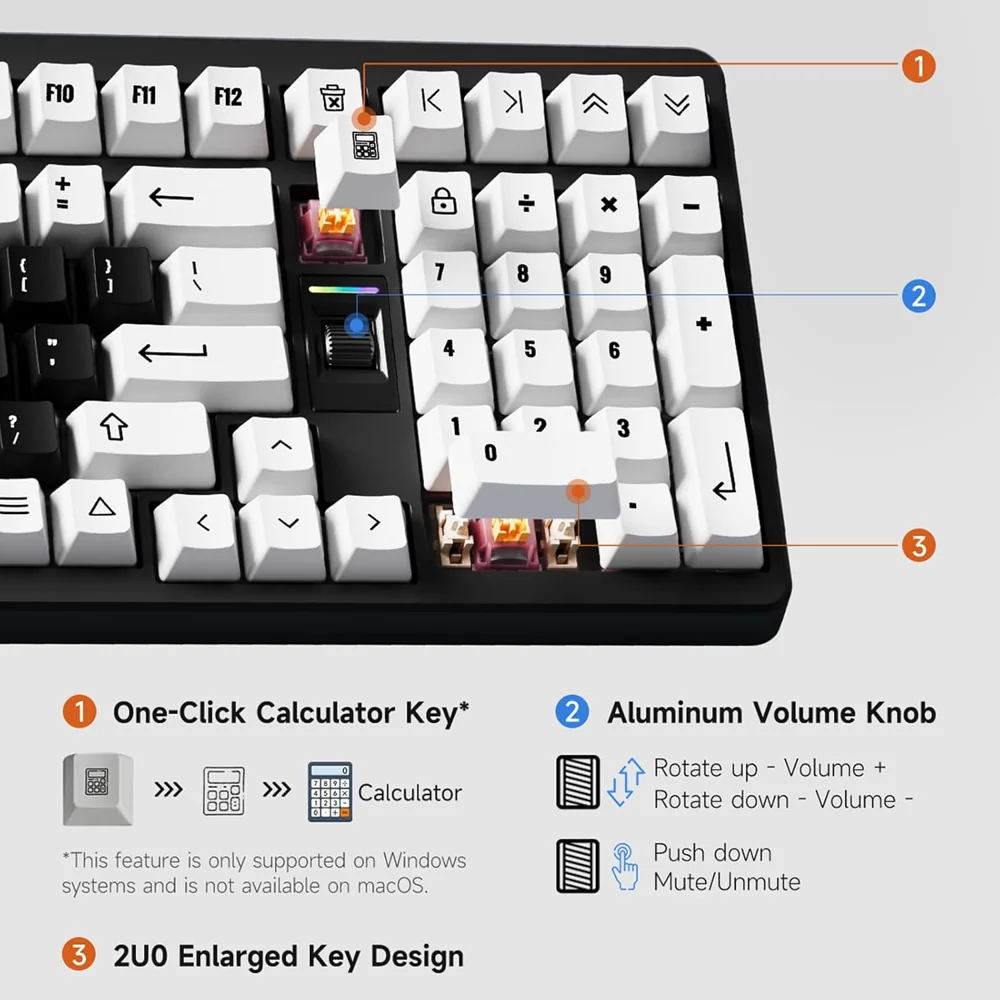
The hot-swappable PCB accepts compatible 3-pin and 5-pin mechanical switches. Pre-lubricated linear switches provide a smooth starting point, while the gasket construction and five dampening layers shape the typing feel.
Bluetooth, 2.4GHz wireless and USB give you three connection choices. Select the mode that fits your device, then use the keyboard shortcuts to move between paired Bluetooth devices.
For work, typing and gaming on the same desk. Keep the number pad close for frequent numeric input.
Selected configuration: Retro · Icy option
| Model | MCHOSE UT98 |
|---|---|
| Configuration | Retro · Icy option |
| ASIN | B0FQP36W6K |
| Compatible Devices | Gaming Console, Laptop, PC, Smartphone, Tablet |
| Connectivity Technology | 2.4GHz Wireless, BT5.0, USB-C |
| Color | RetroIcy |
| Keyboard Backlighting Color Support | RGB |
| Power Source | Battery Powered |
| Keyboard Layout | QWERTY |
| Enclosure Material | Plastic, Polycarbonate, Silicone |
| Battery capacity | 10,000mAh |
| Dimensions | 401.8 × 147.2 × 42.5mm |
| Weight | Approx. 1.25kg |
2 x Replace Switch, 2.4GHz Receiver, Dust Cover, Keycap & Switch Puller, USB Cable
| Option | Connection | Switch | Sound preference | Price | Details |
|---|---|---|---|---|---|
| Retro · Icy option | Bluetooth · 2.4GHz · USB | Linear mechanical | Icy option | $155.99 | Select option → |
| Retro · Silent option | Bluetooth · 2.4GHz · USB | Linear mechanical | Silent option | $155.99 | Select option → |
| Classic · Icy option | Bluetooth · 2.4GHz · USB | Linear mechanical | Icy option | $165.99 | Select option → |
| Classic · Silent option | Bluetooth · 2.4GHz · USB | Linear mechanical | Silent option | $155.99 | Select option → |
| Classic · Yellow Quiet option | Bluetooth · 2.4GHz · USB | Linear mechanical | Silent option | $163.99 | Select option → |
Yes. The hot-swappable PCB supports compatible 3-pin and 5-pin mechanical switches. Disconnect the keyboard before changing switches; Hall Effect magnetic switches are not interchangeable with this system.
Choose Bluetooth, 2.4GHz wireless or USB to suit your device. Use the mode control and the keyboard’s pairing shortcuts when changing devices.
The selected option is Retro · Icy option. Silent and Icy options have different sound characters; match the option label to your preferred switch before ordering.
The one-click calculator shortcut is supported on Windows and is not available on macOS. The keyboard supports both systems for ordinary typing.
A volume knob, one-touch calculator key and enlarged zero key keep everyday commands close to your hands.
Bluetooth, 2.4GHz wireless and USB give you three connection choices.
Silent Peach V3 and Icy Creamsicle are linear switch choices with different sound characters. Match the switch option before ordering.
A gasket structure and five dampening layers shape the feel and sound.
RGB lighting glows around the non-shine-through keycaps rather than through the legends.
A volume knob, one-touch calculator key and enlarged zero key keep everyday commands close to your hands.
Bluetooth, 2.4GHz wireless and USB give you three connection choices. Select the mode that fits your device, then use the keyboard shortcuts to move between paired Bluetooth devices.
For work, typing and gaming on the same desk. Keep the number pad close for frequent numeric input.
| Model | MCHOSE UT98 |
|---|---|
| Configuration | Retro · Silent option |
| ASIN | B0FQP3SH76 |
| Compatible Devices | Gaming Console, Laptop, PC, Smartphone, Tablet |
| Connectivity Technology | 2.4GHz Wireless, BT5.0, USB-C |
| Color | Yellowicy |
| Keyboard Backlighting Color Support | RGB |
| Power Source | Battery Powered |
| Keyboard Layout | QWERTY |
| Enclosure Material | Plastic, Polycarbonate, Silicone |
| Battery capacity | 10,000mAh |
| Dimensions | 401.8 × 147.2 × 42.5mm |
| Weight | Approx. 1.25kg |
Yes. The hot-swappable PCB supports compatible 3-pin and 5-pin mechanical switches. Disconnect the keyboard before changing switches; Hall Effect magnetic switches are not interchangeable with this system.
Choose Bluetooth, 2.4GHz wireless or USB to suit your device. Use the mode control and the keyboard’s pairing shortcuts when changing devices.
The selected option is Retro · Silent option. Silent and Icy options have different sound characters; match the option label to your preferred switch before ordering.
The one-click calculator shortcut is supported on Windows and is not available on macOS. The keyboard supports both systems for ordinary typing.
A volume knob, one-touch calculator key and enlarged zero key keep everyday commands close to your hands.
The hot-swappable PCB accepts compatible 3-pin and 5-pin mechanical switches.
Bluetooth, 2.4GHz wireless and USB give you three connection choices.
Silent Peach V3 and Icy Creamsicle are linear switch choices with different sound characters. Match the switch option before ordering.
A gasket structure and five dampening layers shape the feel and sound.
RGB lighting glows around the non-shine-through keycaps rather than through the legends.
A volume knob, one-touch calculator key and enlarged zero key keep everyday commands close to your hands.
The hot-swappable PCB accepts compatible 3-pin and 5-pin mechanical switches. Pre-lubricated linear switches provide a smooth starting point, while the gasket construction and five dampening layers shape the typing feel.
Bluetooth, 2.4GHz wireless and USB give you three connection choices. Select the mode that fits your device, then use the keyboard shortcuts to move between paired Bluetooth devices.
For work, typing and gaming on the same desk. Keep the number pad close for frequent numeric input.
| Model | MCHOSE UT98 |
|---|---|
| Configuration | Classic · Icy option |
| ASIN | B0FQP3L94T |
| Compatible Devices | Gaming Console, Laptop, PC, Smartphone, Tablet |
| Connectivity Technology | 2.4GHz Wireless, BT5.0, USB-C |
| Color | Whiteicy |
| Keyboard Backlighting Color Support | RGB |
| Power Source | Battery Powered |
| Keyboard Layout | QWERTY |
| Enclosure Material | Plastic, Polycarbonate, Silicone |
| Battery capacity | 10,000mAh |
| Dimensions | 401.8 × 147.2 × 42.5mm |
| Weight | Approx. 1.25kg |
Yes. The hot-swappable PCB supports compatible 3-pin and 5-pin mechanical switches. Disconnect the keyboard before changing switches; Hall Effect magnetic switches are not interchangeable with this system.
Choose Bluetooth, 2.4GHz wireless or USB to suit your device. Use the mode control and the keyboard’s pairing shortcuts when changing devices.
The selected option is Classic · Icy option. Silent and Icy options have different sound characters; match the option label to your preferred switch before ordering.
The one-click calculator shortcut is supported on Windows and is not available on macOS. The keyboard supports both systems for ordinary typing.
A volume knob, one-touch calculator key and enlarged zero key keep everyday commands close to your hands.
The hot-swappable PCB accepts compatible 3-pin and 5-pin mechanical switches.
Bluetooth, 2.4GHz wireless and USB give you three connection choices.
A gasket structure and five dampening layers shape the feel and sound.
RGB lighting glows around the non-shine-through keycaps rather than through the legends.
A volume knob, one-touch calculator key and enlarged zero key keep everyday commands close to your hands.
The hot-swappable PCB accepts compatible 3-pin and 5-pin mechanical switches. Pre-lubricated linear switches provide a smooth starting point, while the gasket construction and five dampening layers shape the typing feel.
Bluetooth, 2.4GHz wireless and USB give you three connection choices. Select the mode that fits your device, then use the keyboard shortcuts to move between paired Bluetooth devices.
For work, typing and gaming on the same desk. Keep the number pad close for frequent numeric input.
| Model | MCHOSE UT98 |
|---|---|
| Configuration | Classic · Silent option |
| ASIN | B0FQNXV1JJ |
| Compatible Devices | Gaming Console, Laptop, PC, Smartphone, Tablet |
| Connectivity Technology | 2.4GHz Wireless, BT5.0, USB-C |
| Color | Whitesilent |
| Keyboard Backlighting Color Support | RGB |
| Power Source | Battery Powered |
| Keyboard Layout | QWERTY |
| Enclosure Material | Plastic, Polycarbonate, Silicone |
| Battery capacity | 10,000mAh |
| Dimensions | 401.8 × 147.2 × 42.5mm |
| Weight | Approx. 1.25kg |
Yes. The hot-swappable PCB supports compatible 3-pin and 5-pin mechanical switches. Disconnect the keyboard before changing switches; Hall Effect magnetic switches are not interchangeable with this system.
Choose Bluetooth, 2.4GHz wireless or USB to suit your device. Use the mode control and the keyboard’s pairing shortcuts when changing devices.
The selected option is Classic · Silent option. Silent and Icy options have different sound characters; match the option label to your preferred switch before ordering.
The one-click calculator shortcut is supported on Windows and is not available on macOS. The keyboard supports both systems for ordinary typing.
A volume knob, one-touch calculator key and enlarged zero key keep everyday commands close to your hands.
The hot-swappable PCB accepts compatible 3-pin and 5-pin mechanical switches.
Bluetooth, 2.4GHz wireless and USB give you three connection choices.
A gasket structure and five dampening layers shape the feel and sound.
RGB lighting glows around the non-shine-through keycaps rather than through the legends.
A volume knob, one-touch calculator key and enlarged zero key keep everyday commands close to your hands.
The hot-swappable PCB accepts compatible 3-pin and 5-pin mechanical switches. Pre-lubricated linear switches provide a smooth starting point, while the gasket construction and five dampening layers shape the typing feel.
Bluetooth, 2.4GHz wireless and USB give you three connection choices. Select the mode that fits your device, then use the keyboard shortcuts to move between paired Bluetooth devices.
For work, typing and gaming on the same desk. Keep the number pad close for frequent numeric input.
| Model | MCHOSE UT98 |
|---|---|
| Configuration | Classic · Yellow Quiet option |
| ASIN | B0GT9WZYJ9 |
| Compatible Devices | Gaming Console, Laptop, PC, Smartphone, Tablet |
| Connectivity Technology | 2.4GHz Wireless, USB-C, Wireless 5.0 |
| Color | Yellowquiet |
| Power Source | Battery Powered |
| Keyboard Layout | QZERTY |
| Enclosure Material | Plastic, Polycarbonate, Silicone |
| Battery capacity | 10,000mAh |
| Dimensions | 401.8 × 147.2 × 42.5mm |
| Weight | Approx. 1.25kg |
Yes. The hot-swappable PCB supports compatible 3-pin and 5-pin mechanical switches. Disconnect the keyboard before changing switches; Hall Effect magnetic switches are not interchangeable with this system.
Choose Bluetooth, 2.4GHz wireless or USB to suit your device. Use the mode control and the keyboard’s pairing shortcuts when changing devices.
The selected option is Classic · Yellow Quiet option. Silent and Icy options have different sound characters; match the option label to your preferred switch before ordering.
The one-click calculator shortcut is supported on Windows and is not available on macOS. The keyboard supports both systems for ordinary typing.
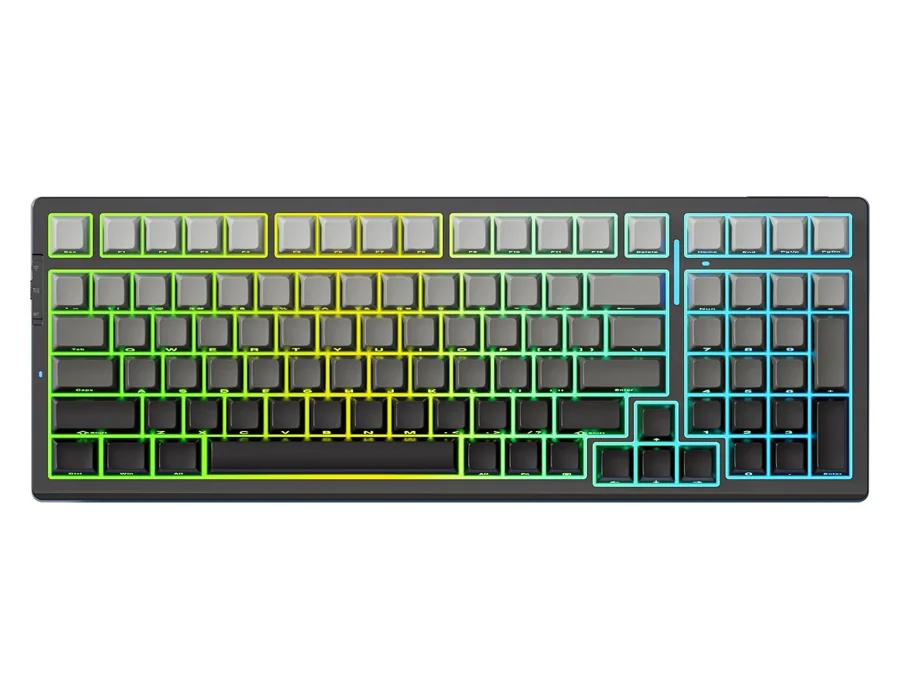
A wireless mechanical keyboard combining tri-mode connectivity, a gasket structure and pre-lubed linear switches.
View Product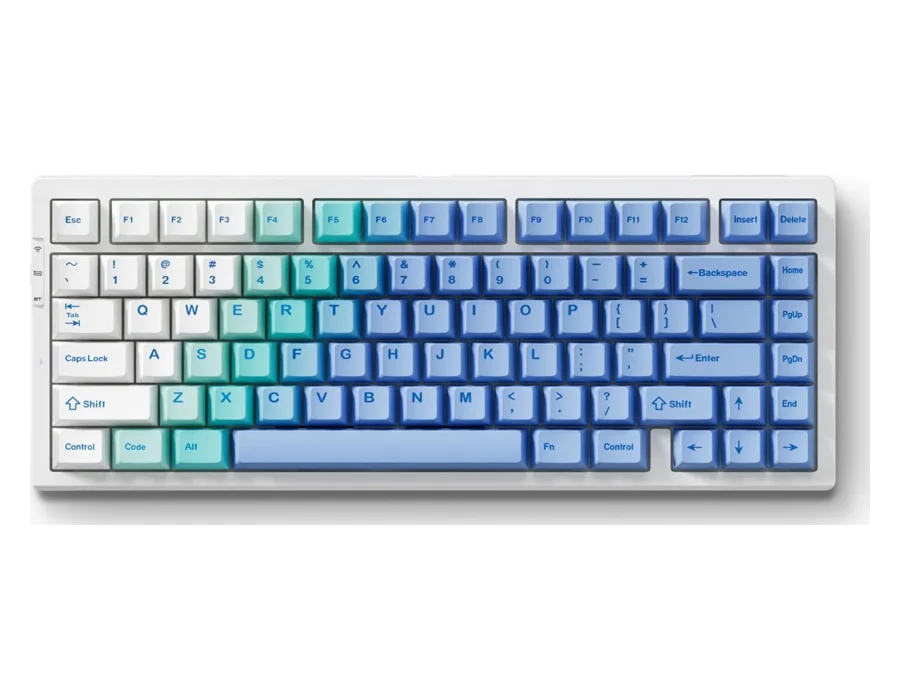
A 75% wireless mechanical keyboard with hot-swappable switches, RGB lighting and double-shot PBT keycaps.
View Product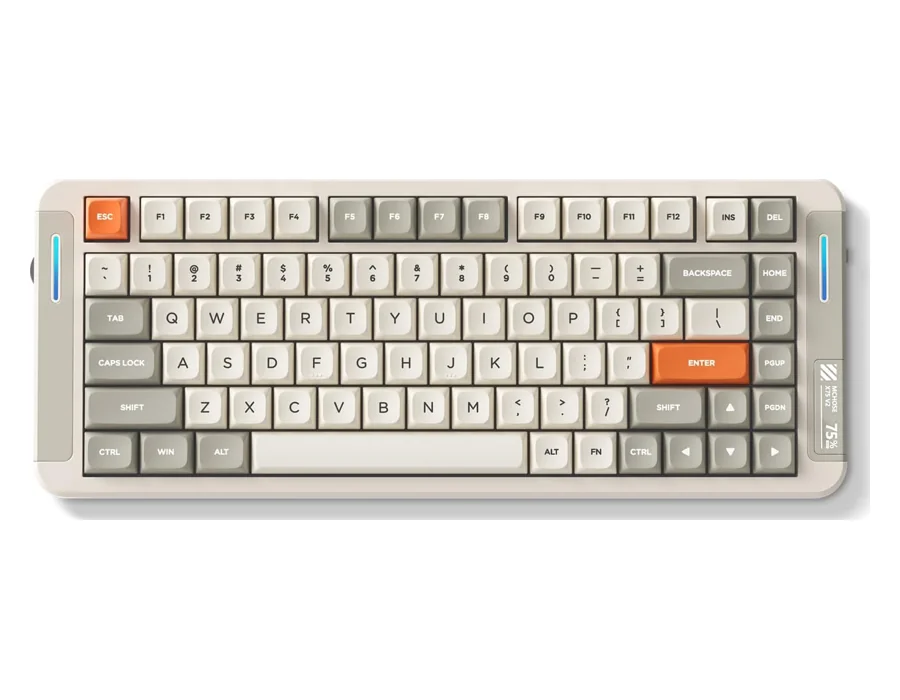
A compact wireless mechanical keyboard with a multimedia knob, hot-swappable construction and RGB lighting.
View ProductChoose your configuration and continue to Amazon.